Virtual Reality and Augmented Reality in Entertainment: How Immersive Experiences Are Changing Viewing
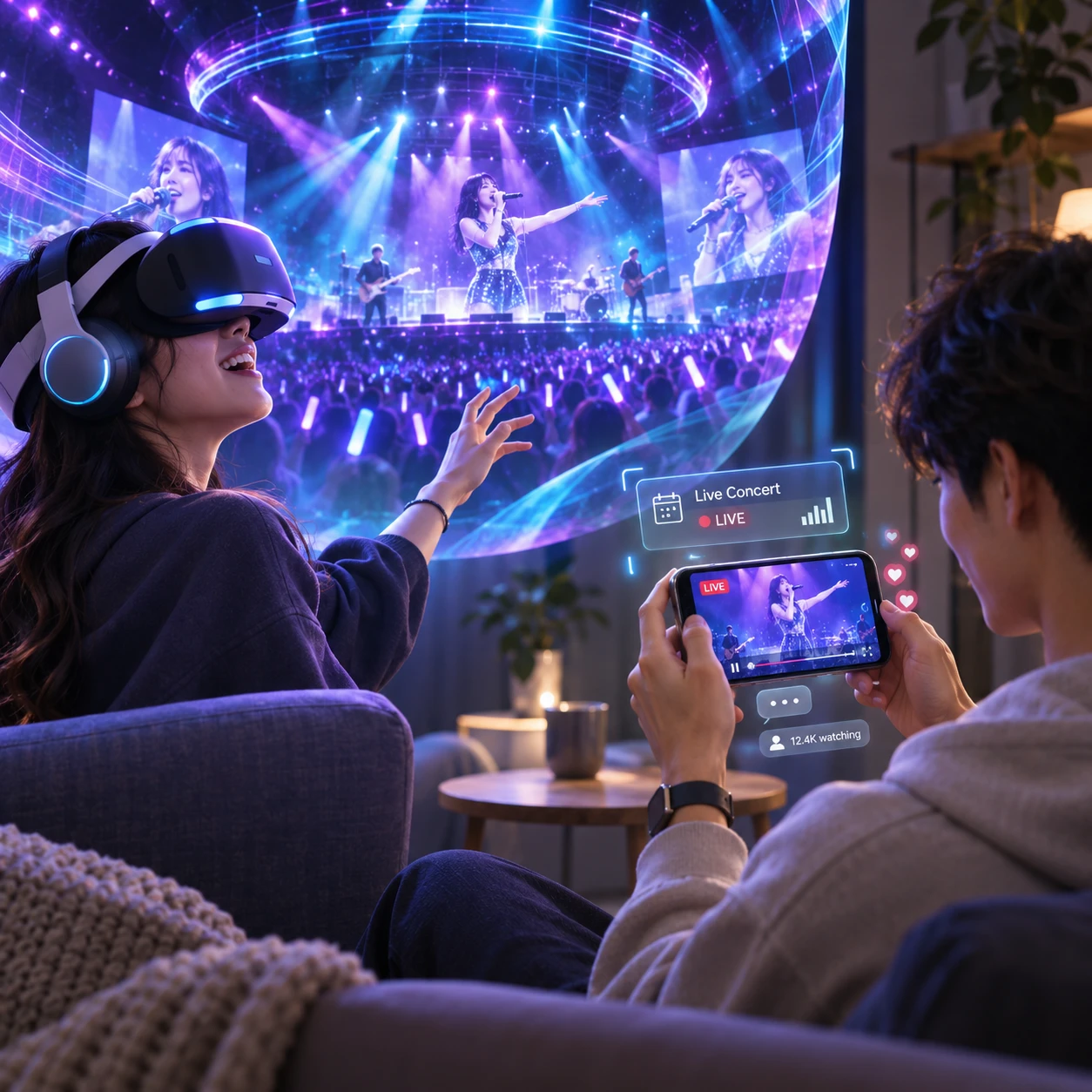
Virtual reality (VR) and augmented reality (AR) give audiences new ways to experience entertainment. Instead of watching every scene from a fixed screen, viewers may look around a 360-degree concert, explore a virtual setting, or see digital graphics layered over a live video. These formats can increase audience engagement, but they also change how people watch and what equipment they need.
What VR and AR Mean for Entertainment
VR places viewers inside a digital environment, while AR adds digital elements to the real world through a phone, tablet, or compatible headset. The key difference is whether the physical surroundings are replaced or remain part of the experience.
A VR experience usually runs through a head-mounted display, commonly called a VR headset. The viewer sees a computer-generated scene or immersive video and can often turn their head to look around. Some experiences also track hand movements or use controllers, so people can interact with virtual objects.
AR keeps the room, event, or street visible and adds digital content to it. A viewer might point a phone at a screen to see animated graphics, or use an AR feature that places a virtual character in the living room. The experience depends on the device and the content; a phone-based AR effect is different from a headset-based spatial computing environment.
For a video platform, these formats offer different viewing choices. VR can make a video feel like a place to enter, while AR can add context or playful layers to the screen already in front of someone. Neither format automatically makes a story more engaging. The creative design needs to give viewers a reason to look, move, or participate.
How VR Is Changing Video and Storytelling
VR changes video by giving viewers control over their viewpoint, especially in 360-degree video and immersive scenes. That freedom can create a sense of presence, though it also means viewers may miss details outside their line of sight.
In 360-degree video, cameras record the scene in every direction. A viewer wearing a headset can turn to look behind them, above them, or toward another part of the action. A live music performance, for example, might let viewers look from the stage toward the crowd, rather than seeing only the director’s chosen camera angle.
Immersive video is a broader category. It can include 360-degree footage, stereoscopic video that gives a sense of depth, and computer-generated environments. Some VR experiences are passive: the viewer looks around but does not affect the scene. Others use branching choices or object interactions to support interactive storytelling.
That distinction matters for creators. A conventional film guides attention through editing and close-ups. In VR, the audience may be looking somewhere else when an important moment happens. Clear sound cues, deliberate pacing, and visual signals can help guide attention without taking away the viewer’s freedom. Good VR storytelling treats the audience’s viewpoint as part of the design.
How AR Adds Layers to the Viewing Experience
AR adds digital visuals, information, or characters to a real-world view, making it possible to enrich video without fully replacing the viewer’s surroundings. Its strongest use is often a focused addition, rather than a constant stream of graphics.
In at-home entertainment, a phone camera can place a character or animated object in a room. A video companion experience might show a 3D prop beside the screen or let viewers inspect an item related to a program. These features can turn watching into a small activity, but they work best when the extra layer supports the main content rather than competing with it.
Live events offer another practical use. AR graphics can appear through a phone during a concert, sports broadcast, or festival stream, adding visual effects or optional information. The audience still sees the performance or venue; the digital elements sit on top of that view. On a standard video stream, similar graphics may be part of the broadcast itself, although that is not necessarily AR because they are not placed into the viewer’s surroundings.
AR viewing usually starts with a smartphone or tablet, which makes it more accessible than a dedicated VR headset for many viewers. Still, camera access, lighting, device compatibility, and the need to hold up a phone can affect comfort. The feature should be easy to skip when someone simply wants to watch.
Beyond Video: Gaming, Live Events, and Interactive Experiences
Gaming, live events, and interactive experiences make immersive entertainment participatory: audiences can act, explore, or choose where to focus. The format may deepen involvement, but participation should feel meaningful rather than like extra work.
VR games make movement and spatial awareness part of play. Players might reach for objects, navigate a virtual world, or collaborate with others represented by avatars. AR games take a different approach, placing digital characters or challenges into the player’s surroundings. In both cases, the physical space and controls shape the experience.
For live events, VR can offer a virtual vantage point for a concert or performance, while 360-degree video can capture a venue from a location that a conventional camera cannot reproduce. These experiences do not replace being there: they may lack the shared atmosphere, full sensory detail, or freedom of movement of an in-person event. They do, however, provide another way to access a performance.
Interactive storytelling can bridge video and games. A viewer might choose which character to follow, inspect a scene, or decide what happens next. Creators need to make choices clear and avoid hiding essential story information in optional branches. When the interaction is well matched to the story, audience engagement becomes part of the narrative rather than a separate feature.
What Audiences Need to Get Started
To try VR or AR entertainment, match the experience to a compatible device, then check comfort and access requirements. Many AR features work on a recent smartphone; VR video and games generally require a VR headset, though some platforms support limited alternatives.
- For VR: Check the headset’s supported apps and video formats, and whether the experience needs controllers, a play area, or a reliable internet connection for streaming.
- For AR: Confirm that the phone or tablet supports the app’s AR features, grant camera permission only when needed, and use a space with enough light for tracking.
- For either format: Review whether content is live or on demand, whether it requires an account, and whether captions or other accessibility options are available.
Comfort deserves a test before a long session. Start with a short experience, sit down if you feel unsteady, and stop if you develop discomfort or nausea. Some people are more sensitive to motion, especially when a virtual camera moves independently of their head. A stationary 360-degree video may feel easier than a fast-moving VR game, but comfort varies by person and device.
Also consider the viewing situation. A headset blocks much of the room, which can make shared viewing less social and requires a clear, safe area if the experience involves movement. AR leaves the surroundings visible, but holding a device for a long time can be tiring. Check platform guidance for specific device and safety requirements rather than assuming all content works on all hardware.
Benefits and Limitations of Immersive Entertainment
Immersive entertainment can create presence and invite interaction, but hardware, usability, comfort, and content availability still shape who can enjoy it. The right format depends on the story and the audience, not simply on how advanced the technology seems.
VR can give a viewer a stronger sense of being inside a scene and let them choose where to look. That is useful for spatial experiences such as a performance recorded from multiple directions. The trade-off is reduced awareness of the physical room, along with the cost and setup of a headset. Viewers may also miss story beats if they focus on the wrong area.
AR can add a layer without isolating the viewer from their surroundings, and smartphones can lower the entry barrier. However, small screens, inconsistent device support, camera permissions, and awkward viewing angles can undermine the effect. A digital overlay also becomes clutter if it distracts from the video or event.
Content remains a practical limitation for both formats. A large catalogue of ordinary video does not automatically become immersive simply because it plays in a headset. Likewise, a standard broadcast with graphics is not necessarily interactive AR. Audiences benefit most when the production is designed for the format and offers clear controls, comfortable pacing, and a straightforward way to return to regular viewing.
What Could Come Next for VR and AR Entertainment
VR and AR entertainment may become more flexible as devices and production tools develop, but future capabilities should not be confused with features available across today’s platforms. The direction is toward experiences that combine video, interaction, and spatial computing more smoothly.
Creators may experiment with live performances that let viewers select virtual viewpoints, or stories that adapt to what a person chooses to explore. AR could make optional companion layers easier to use during a stream, while spatial computing may allow digital characters and objects to respond more naturally to a room. These are plausible creative directions, not guarantees of a consistent experience on every device.
For video platforms, the useful measure will be whether immersive formats help people find and enjoy content. Better discovery, clear device labels, captions, and previews can matter as much as visual effects. A viewer should be able to tell whether a title is a 360-degree video, a VR game, an AR feature, or ordinary video before pressing play.
Frequently Asked Questions
VR and AR differ mainly in how they treat the physical world, while immersive video describes content designed for more spatial viewing. These quick answers cover common questions from viewers getting started.
What is the difference between VR and AR in entertainment?
VR places the viewer in a digital environment, usually through a headset. AR keeps the real environment visible and adds digital elements through a phone, tablet, or compatible headset.
Can you watch regular video in VR?
Yes. Many VR headsets can display regular 2D video on a virtual screen. The video remains conventional, even though the headset changes how and where it appears to the viewer.
What equipment is needed for VR or AR entertainment?
VR typically requires a compatible head-mounted display, and some experiences also need controllers or a clear play area. AR commonly works with a compatible smartphone or tablet, though some features require specialized hardware.
Is immersive video the same as 360-degree video?
No. 360-degree video is one type of immersive video that lets viewers look around a captured scene. Immersive video can also include stereoscopic footage, interactive scenes, and other spatial formats.